Tabletop vs. Full-Height Phone Tripods: Choosing a Stable Setup
Compare phone-tripod formats for video calls, family photos, desk recording, and travel, including clamps, orientation, height, and accessory clearance.
This guide draws on published documentation and practical use cases, not hands-on testing. It contains no paid product placements or affiliate shopping links. How we work · Affiliate Disclosure
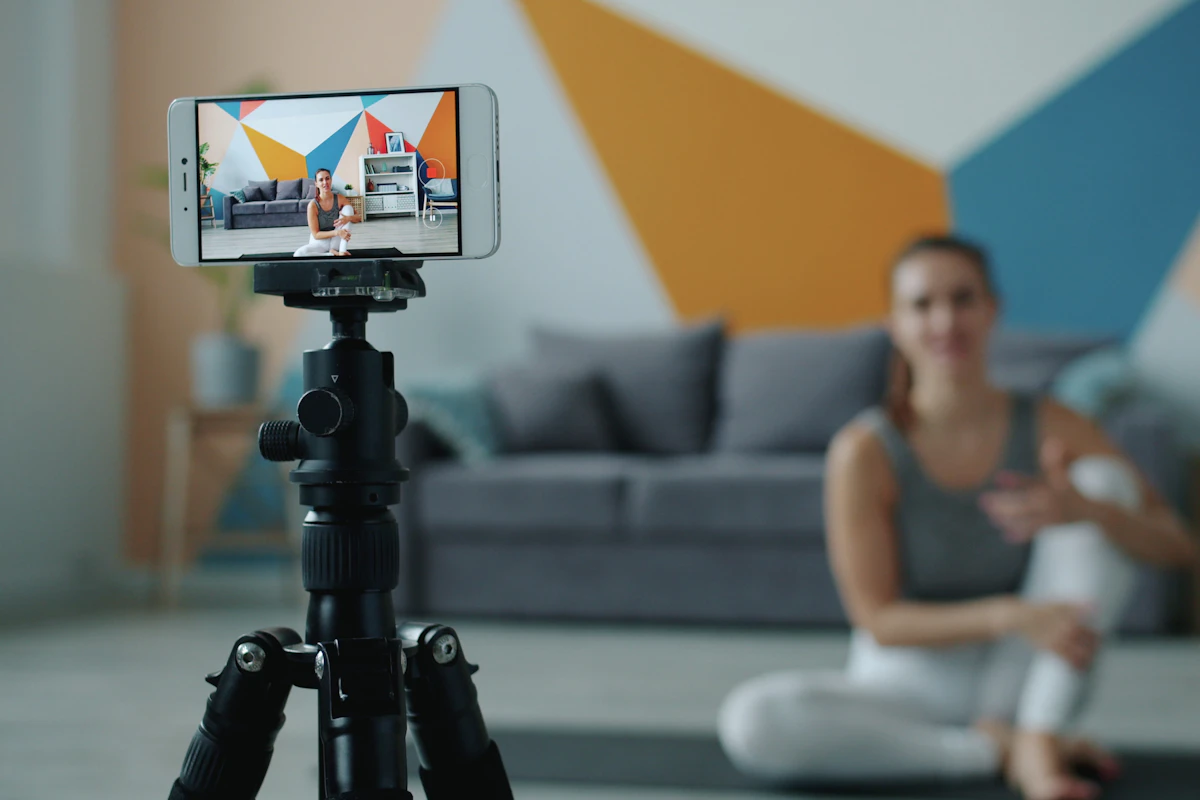
Choose the support for the camera position you need, then check the complete phone-and-case fit before adding height or accessories.
In this guide
For a video call, a phone balanced against a mug can be enough until it slips or the charging cable pulls it sideways. For a family photograph, that same arrangement cannot place the camera at the intended height. Both situations need support, but they do not necessarily need the same tripod.
A useful tripod comparison begins with the desired camera position. This guide evaluates formats, mounting details, and setup decisions from published documentation. It does not claim measured stability, vibration, or load testing.
Decide where the legs will stand
A tabletop tripod depends on a table, shelf, or other suitable raised surface. It can be compact and convenient for desk recording, but its camera height is partly determined by the furniture. A full-height tripod creates more freedom over position while taking up floor space and adding bulk to carry.
Flexible-leg supports can adapt to some surfaces, but their usefulness depends on a secure arrangement and the manufacturer’s instructions. They are not a universal replacement for a stable base. A combination selfie stick and tripod can pack neatly, yet the support geometry deserves attention when the pole is extended.
| Support type | Good-fit scenario | Main compromise | Key inspection |
|---|---|---|---|
| Tabletop tripod | Calls or recording at a desk | Needs a suitable raised surface | Camera height in your seated position |
| Full-height tripod | Standing presentations or family photos | More space and carrying bulk | Stability at the required height |
| Flexible-leg support | Occasional placement on suitable structures | Setup varies with the surface | Secure attachment and permitted use |
| Desk clamp or arm | A fixed recording position | Requires compatible furniture | Clamp clearance and reach |
| Compact stick-tripod combination | Occasional travel photos | Extended height can challenge stability | Leg spread and phone balance |
Fit the phone with the case installed
Measure the arrangement you intend to mount, including the case. A clamp’s stated width range is more useful than a vague promise to support large phones. Check depth and jaw shape too, particularly with a thick case or pronounced camera surround.
Make sure the mount does not press a side button, block a camera, or cover a microphone you need. For magnetic supports, confirm the compatibility of the phone and case together. A magnetically attached accessory should be used only within the support manufacturer’s stated conditions.
A charging cable needs space to exit without pulling against the mount. The same applies to a wired microphone or other connected accessory. See our phone-case guide and USB-C cable comparison when the complete setup is tighter than the phone alone suggests.
Portrait and landscape are separate working positions
The ability to rotate is useful only if the mount stays secure and clears the tripod in both orientations. A side-mounted portrait position can change where the weight sits relative to the base. Set up the intended angle before recording, rather than assuming that a horizontal arrangement will behave identically after rotation.
For video calls, place the camera where the framing feels natural and check the preview. For a desk demonstration, consider whether hands or objects will block the view. An overhead setup requires equipment intended for that configuration; do not improvise a long unsupported reach from a small tabletop base.
Apple’s Continuity Camera instructions provide a useful example of the underlying requirements: the phone should be stable, correctly positioned, and have unobstructed cameras. Those requirements are worth checking for any camera setup, even when the software ecosystem is different.
Maximum height is not the only useful measurement
Compare folded length, base footprint, and the height actually needed for the task. An impressive maximum extension is less valuable if the tripod becomes awkward in the normal room arrangement. At home, leave enough space that people can walk past without catching a leg or cable.
A published load limit describes one part of compatibility; it does not promise stability on every surface or in every configuration. Include mounts and accessories when checking the permitted load. Follow instructions about extension, leg positioning, and orientation.
Make a short rehearsal with the intended framing. Start and stop recording, connect power, and check whether normal interaction shifts the view. These simple checks reveal practical issues before an important call or recording session.
Who should skip a larger tripod?
Skip a full-height design if you only need the phone beside a monitor. A suitable tabletop support may be easier to store and quicker to position. Conversely, do not choose a tiny support solely because it travels well if every use requires finding furniture at the right height.
For occasional calls, an existing stable stand may already solve the problem. If image quality remains disappointing after positioning, compare phone-as-webcam and dedicated-webcam setups before buying more support hardware.
Frequently asked questions
Can I add a light and microphone to the same mount?
Only when the mounting points, permitted load, and balance suit the complete arrangement. Account for cables and accessories as well as the phone.
Is a remote shutter essential?
No. A camera timer may be sufficient for occasional still photographs. Confirm app compatibility if a remote is important to your workflow.
Does a heavy tripod always stay steadier?
Weight is one factor, but base geometry, surface, extension, and load placement matter too. Assess the complete setup.
Sources
Apple’s Continuity Camera mounting guidance supports the positioning discussion. JOBY’s mount specifications illustrate why attachment design and permitted load require explicit checking. References checked October 21, 2026.
Keep exploring
Active vs Passive Styluses: Choose for Notes, Drawing or Simple Taps
Understand screen compatibility, palm rejection, pressure support and replacement tips before choosing a stylus for your tablet.
Read the guide
Slim, Rugged, or Wallet Phone Case: Comparing Daily Tradeoffs
Compare phone-case layouts by grip, pocket fit, control access, magnetic accessories, charging compatibility, and realistic protection expectations.
Read the guide
Phone Grips and Stands: Match Your Pocket, Desk and Charger
Compare adhesive grips, removable magnetic supports and separate stands for holding, viewing and charging a phone throughout the day.
Read the guide